

Highlights
- Samsung Messages shutting down July 2026
- App becomes read-only after deadline
- Google Messages is official replacement with RCS
- Other options: Textra, SMS Organizer, Pulse
- Switch early to avoid losing chat experience
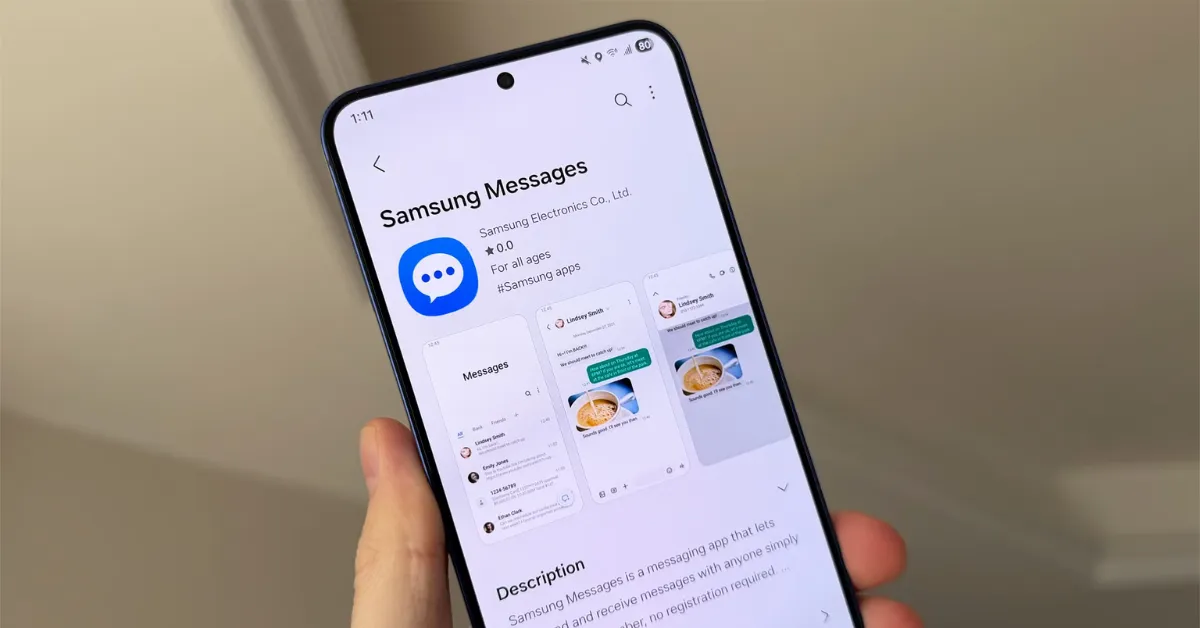
Samsung has shared an official announcement that in July 2026, the Samsung Messaging app will be discontinued. For all Samsung users, this has become a source of confusion and frustration. They are anticipating difficulties accepting the change.
By going through this article, a reader will get a deeper grasp of the matter. Besides, we also discuss the finest and most reliable apps that users could switch over to ensure that their chat history is not lost.
Why is Samsung Shutting Down Its Messages App?
Samsung shutting down its Messages app might sound like a new development. But the procedures have been underway since 2024. This can be verified by the fact that the Z Fold 6, one of their newer phones, did not have the Messages app pre-installed.
The natural shift, at this time, is towards Google Messages. This is one of the methodologies that will standardize RCS (Rich Communication Services) throughout the Android ecosystem.
It should be noted that the time to make a switchover is now. With the arrival of the July deadline, Samsung’s Messages app will transcend to become a read-only app. One will, then, only be able to send emergency texts.
The Official Replacement: Google Messages
You want to switch over to Google Messages from the Samsung Messages app because this is going to be direct and relatively easy to do. Samsung has officially recommended this alternative.
When we talk about Google Messages, we see that it is feature-rich, offering full support for RCS. RCS refers to typing indicators, high-quality media, and read receipts.
Cross-platform compatibility is another top feature of Google Messages. The app works better on iPhones than it has ever done before. Then, in Google Messages, one also comes across robust AI spam/scam detection. Besides, in the app, you also got Gemini AI features such as “Magic Compose” for help creating smart replies.
It is noteworthy that Google Messages is the only alternative to the Samsung Messages app that offers RCS. In the absence of RCS, your messaging experience could be old school. Typing indicators wouldn’t be there, and read receipts would be missing. There would be no high-resolution media sharing. Similarly, your conversations with iPhone users will also improve greatly, because iPhones also offer RCS support.
Best for Ultimate Customization: Textra SMS
Textra SMS is another fine replacement option at your disposal, other than Google Messages. The former works the best for any user interested in tweaking how their Samsung apps appear. Undeniably, Textra SMS gives you more control over your apps.
The performance of Textra SMS is unbelievably fast. Besides, the app also puts forth over a hundred material design themes. You may also want to use the customizable bubble styles and change the app icon colour at will.
When using Textra SMS, you could activate quick reply popups to read messages and respond to them without opening your app. You could schedule SMSs, and the app’s GIF integration is outstanding.
Best for Keeping Your Inbox Clean: Microsoft SMS Organizer
A user that frequently uses or reads phone messages could be overwhelmed by OTPs, promotional texts, and spam. Such a user may want to replace the Samsung Messages app with Microsoft SMS Organizer, which is a messaging app focused on productivity.
The catchiest feature of Microsoft SMS Organizer is its ability to use on-device machine learning. It will sort the text into different tabs: Personal, Transactions, and Promotions.
Microsoft SMS Organizer also has an auto-delete feature for old OTPs and lets users back up their SMS history directly to Google Drive.
Best for Multi-Device Syncing: Pulse SMS
Pulse SMS is truly the app that delivers for users the feel of the "iMessage ecosystem." One gets to seamlessly text from a PC, tablet, or smartwatch. The app features end-to-end encrypted device syncing.
The Pulse SMS app is free to use, but only when you use it on your phone. Doing multi-device syncing using this app warrants a small fee.
How to Change Your Default Messaging App on Samsung
The following is an actionable step-by-step guide to let you change your default messaging app on Samsung.
1. Download the new app from the Google Play Store.
2. Open your phone's Settings.
3. Scroll down and tap on Apps.
4. Tap on Choose default apps.
5. Tap on the SMS app and select your newly downloaded app (e.g., Google Messages) from the list.
Conclusion
Samsung Messages is quite an app, and losing it might seem like the end of an era. But a range of smart alternatives await for replacing the app, and the top among them are listed in the article. You’ll come to see that the experience being offered by the alternatives is better and feature-rich. If you choose to make the switch before the July 2026 deadline, there will be no disruptions in your daily texting or group chats.
